
Data Browser / Annotation Dashboard
Overview
Rank One Computing (ROC) initiated a redesign of its internal data browser and annotation application to create a more intuitive and efficient user experience.
The goal of this project was to improve an internal annotation dashboard so research users could find, review, and manage data more efficiently.
Through competitive research, user interviews, and collaboration with Research and Engineering teams, I helped inform design decisions and identify opportunities to improve the next iteration of the product.
Role: UX/UI Design Intern
User Research, UX/UI Design, Branding, Interaction, and Prototyping & Testing
Collaborated with the Research and Engineering teams to improve the Data Browser/Annotation Dashboard. I owned flow exploration, wireframing, interface design, component application, prototyping, and design presentations. I also contributed to discovery, design critiques, and iterative improvements by incorporating user and stakeholder feedback while considering technical requirements.
Year: June 2026 - August 2026
Platform: Desktop Web
Understanding the problem
Making complex workflows easier to navigate
Annotation applications often require users to work with dense information, navigate between records, and complete tasks within an established workflow. When navigation is unclear or an interface contains unnecessary steps and components, users may need additional effort to understand where they are and what to do next.
For the workflows addressed in this project, the design challenge was to create a more intuitive experience without compromising the information and functionality users needed.
The key challenges I focused on were:
Workflow complexity: Identify opportunities to simplify task flows and reduce unnecessary steps.
Navigation clarity: Make it easier for users to understand the interface structure and move through their tasks.
Information hierarchy: Organize interface elements so users can more easily identify relevant information.
Consistency: Use established design system patterns to create a cohesive experience across the application.
The opportunity was to improve usability by making the experience more purposeful, not simply by changing its visual appearance.
Opportunity
How might we simplify the metadata management workflow so research users can navigate the interface, locate relevant information, and complete tasks more efficiently?
Constraints and Context
Designing within an existing enterprise product
This project involved improving an established application rather than designing a new product from scratch. That meant the solution needed to work within existing product conventions and technical considerations.
Existing product ecosystem
The redesign needed to fit into the broader application and support established workflows rather than introduce unnecessary changes.
Design system requirements
I worked with existing components, design tokens, and reusable patterns. This encouraged me to consider consistency and maintainability alongside individual screen improvements.
Information density
The interface needed to communicate the information required for users to complete their tasks without adding unnecessary visual complexity.
Cross-functional collaboration
Design decisions needed to account for user needs, stakeholder feedback, and engineering feasibility. Collaboration helped inform the direction of the designs and their transition toward implementation.
These constraints shaped my approach: prioritize clarity, preserve necessary functionality, and simplify the experience where it made sense.
Design process
Understanding the existing experience
I began by reviewing the existing interface and user flow maps to understand how users navigated the application and completed key tasks. Through user interviews and competitive research, I gained insights into user needs and workflow challenges, which helped inform opportunities to simplify navigation, reduce unnecessary steps, and improve the overall experience.
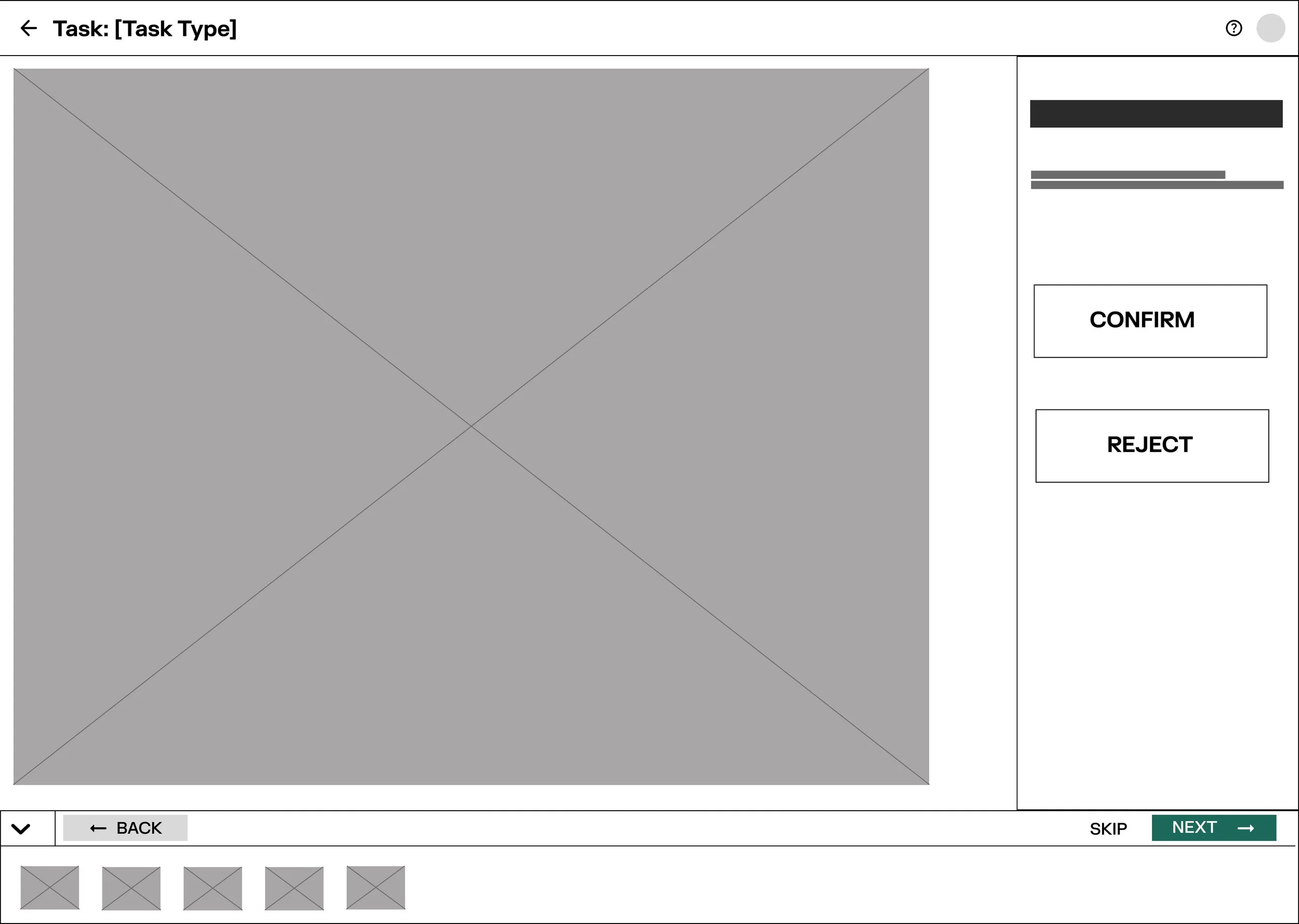
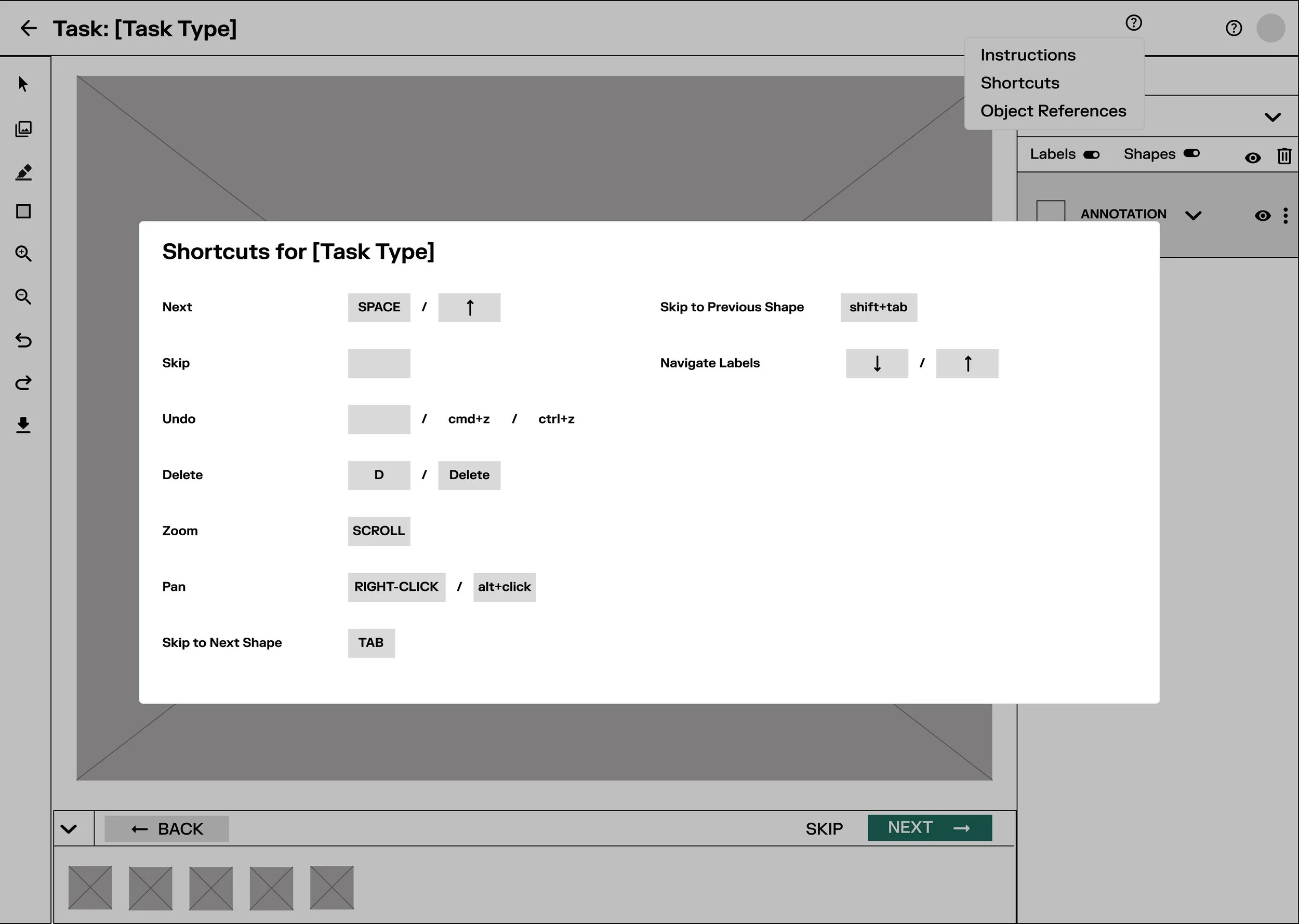
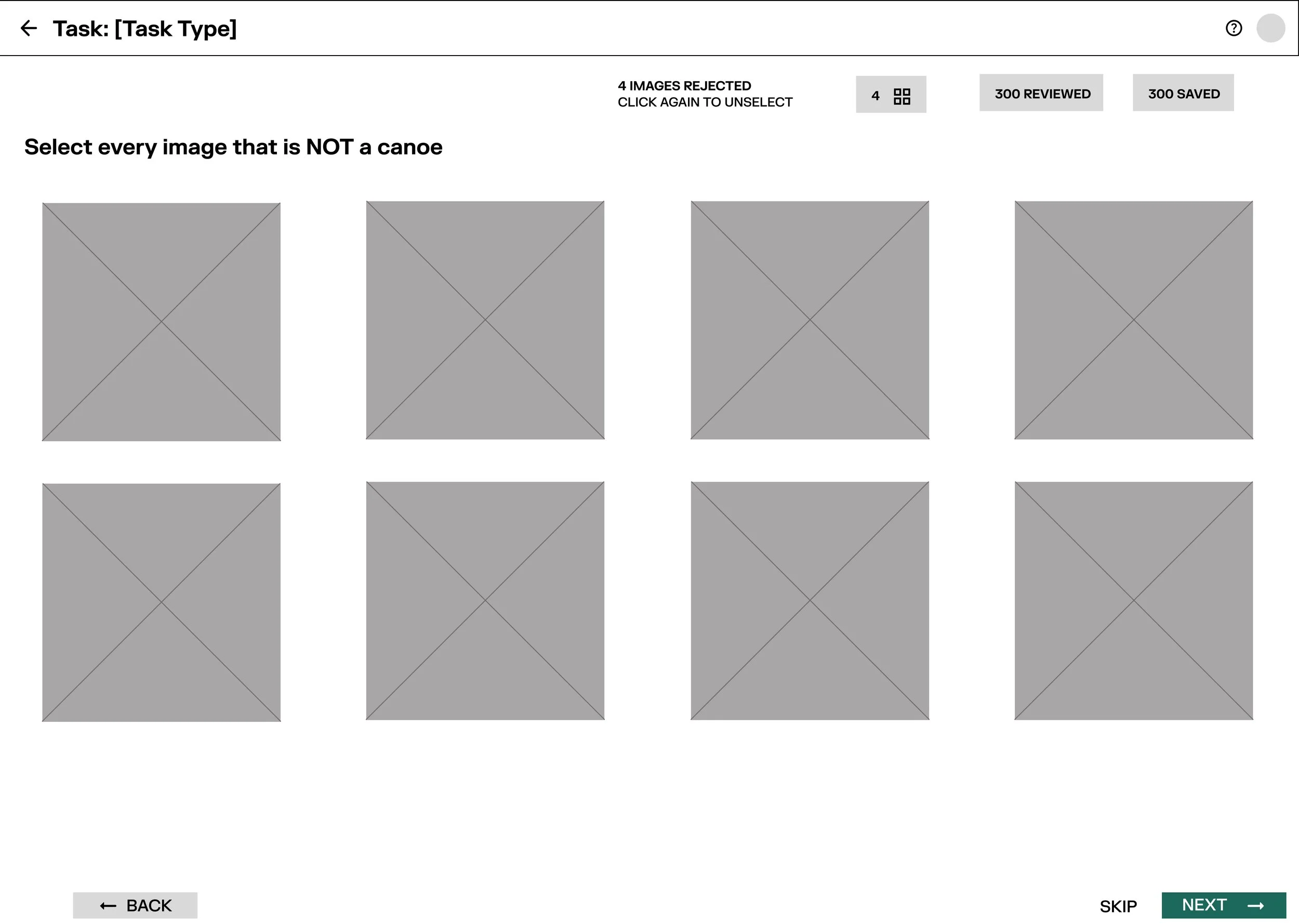
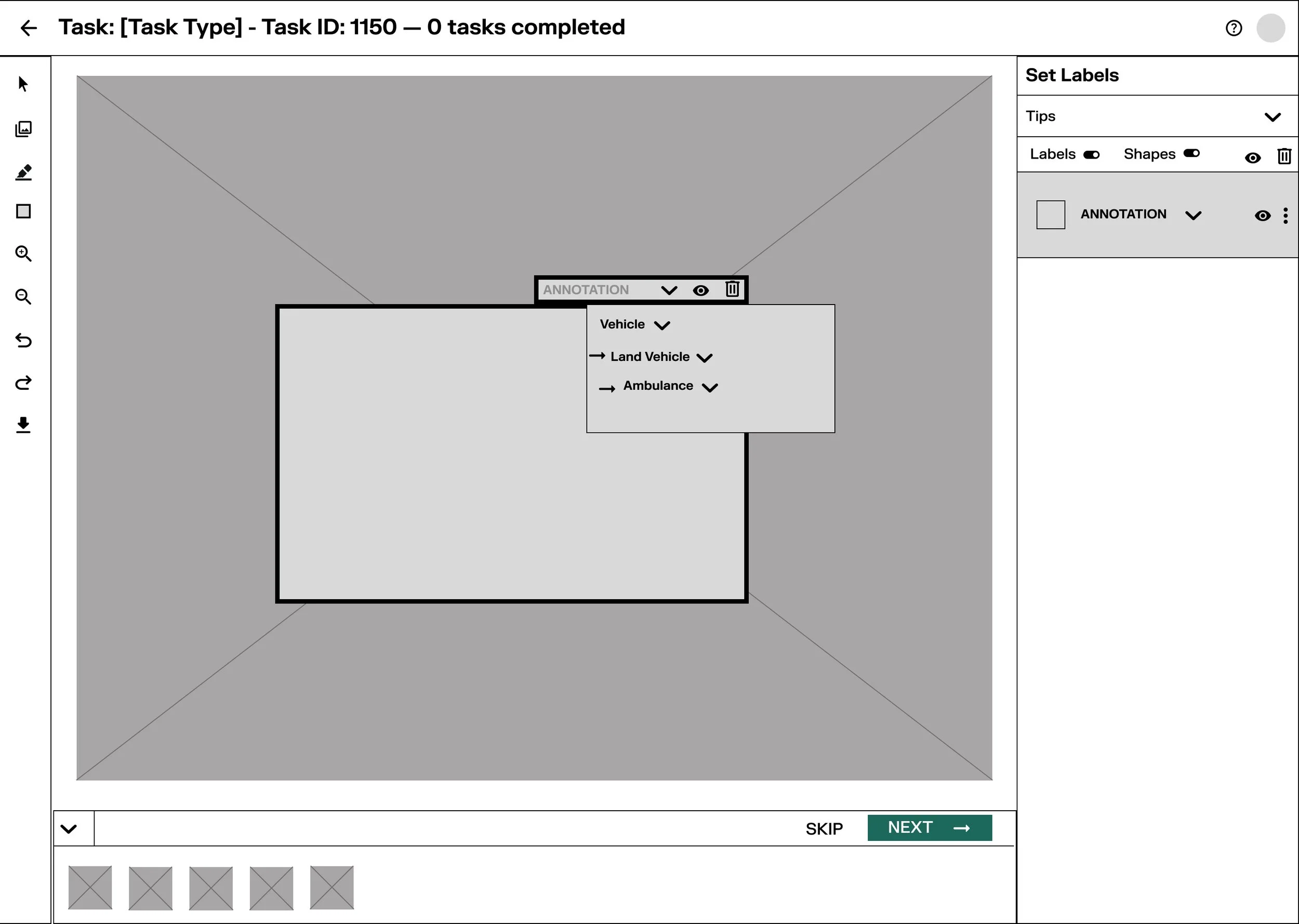
Wireframe exploration
Based on the challenges identified during my review of the existing interface, user flow maps, and user interviews, I explored design solutions to simplify workflows, improve navigation, and create a more intuitive experience.
My design priorities included:
Simplifying workflows: Identifying opportunities to remove unnecessary steps and make task completion more straightforward.
Improving clarity: Refining navigation and interface elements to help users better understand the workflow and identify key actions.
Establishing visual hierarchy: Organizing related information and interface components to create a clearer, more intuitive layout.
Promoting consistency: Applying standardized styling, reusable components, and existing design system patterns to create a cohesive experience across the application.
I developed initial wireframes in Figma to explore potential layouts and communicate design directions. These wireframes provided a foundation for gathering feedback from stakeholders and collaborating with Research and Engineering to refine the structure, usability, and feasibility of the proposed designs. Through iteration, I worked toward a solution that balanced user needs, product requirements, and consistency with the existing design system.
Refining the User Experience
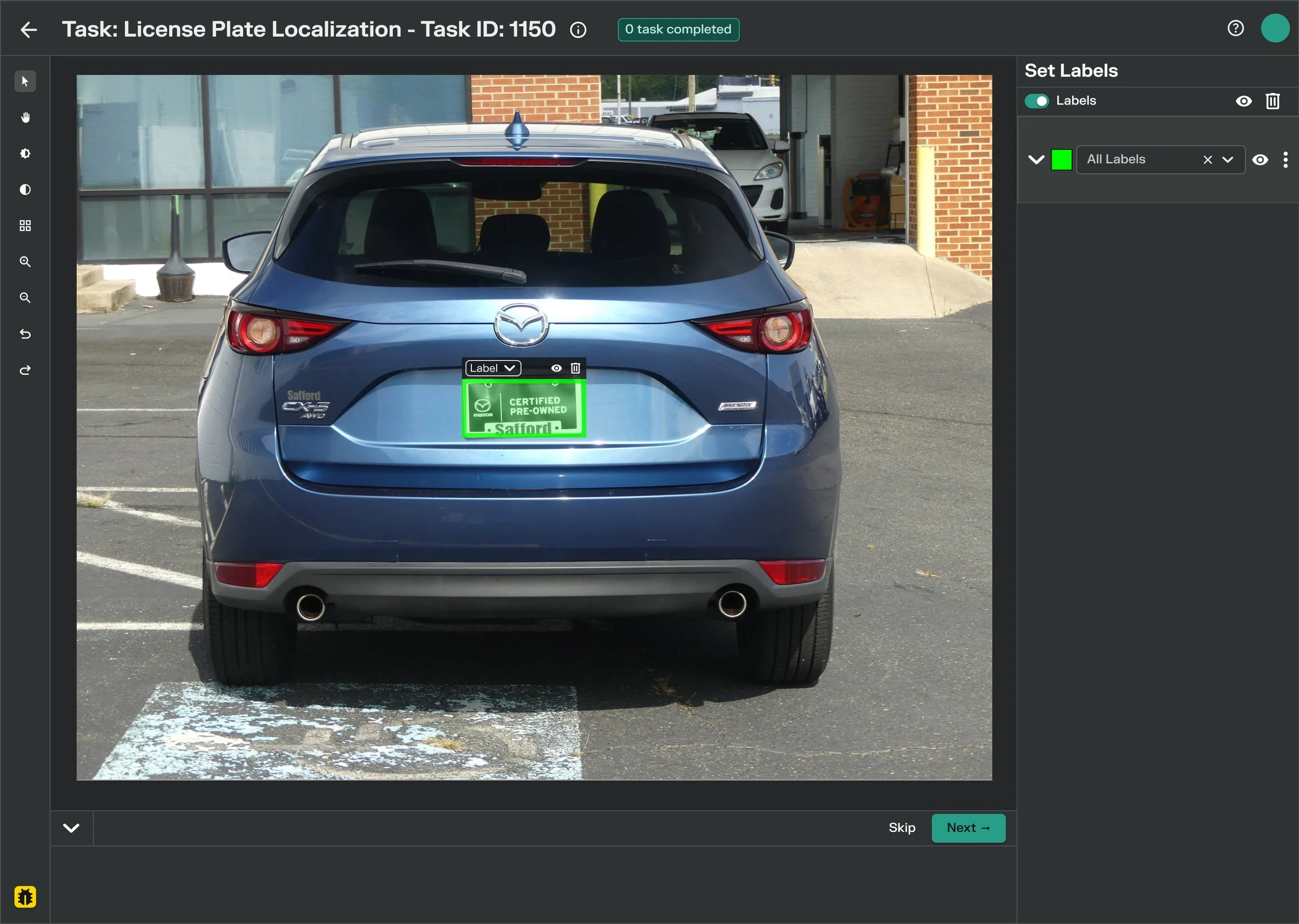
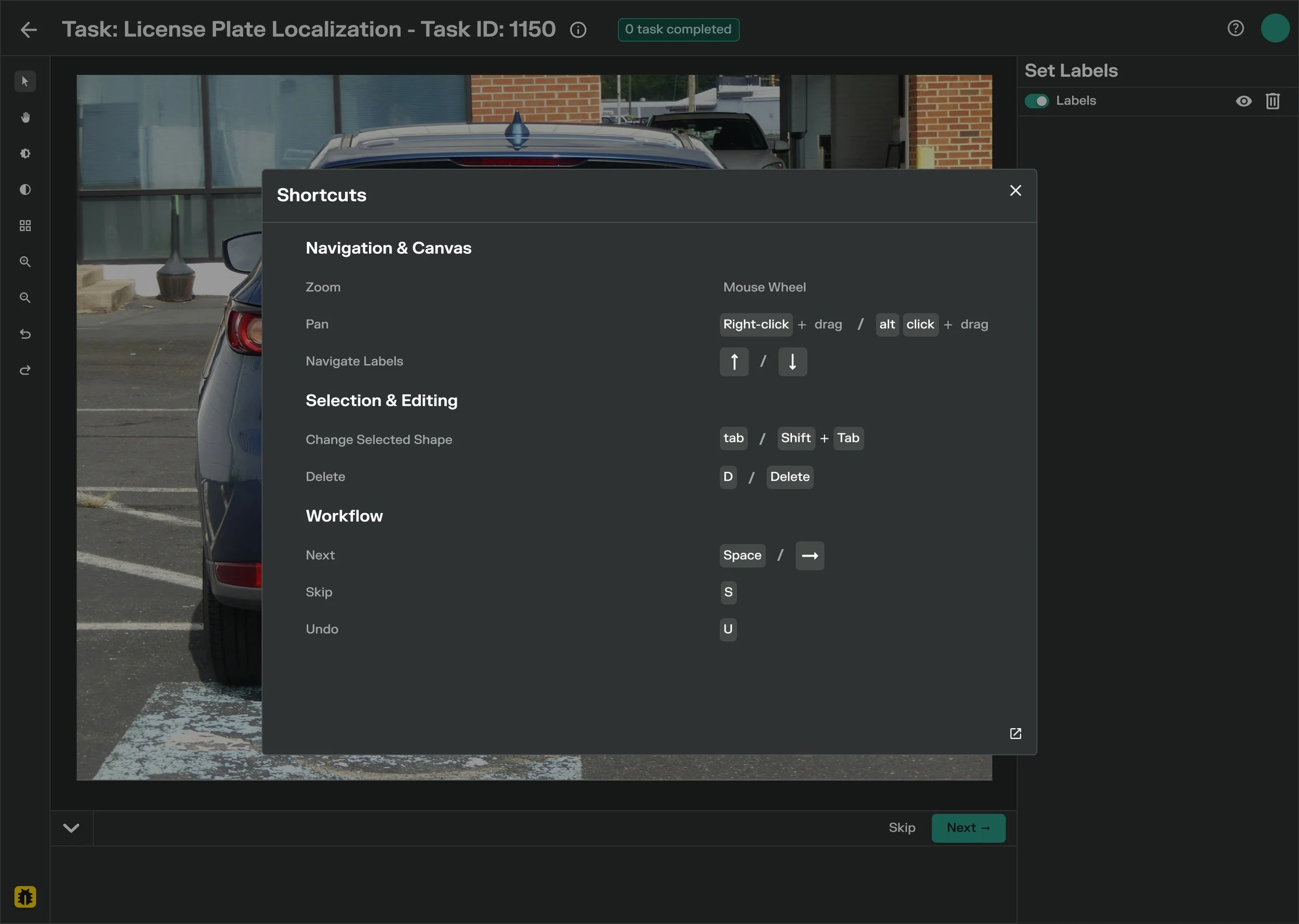
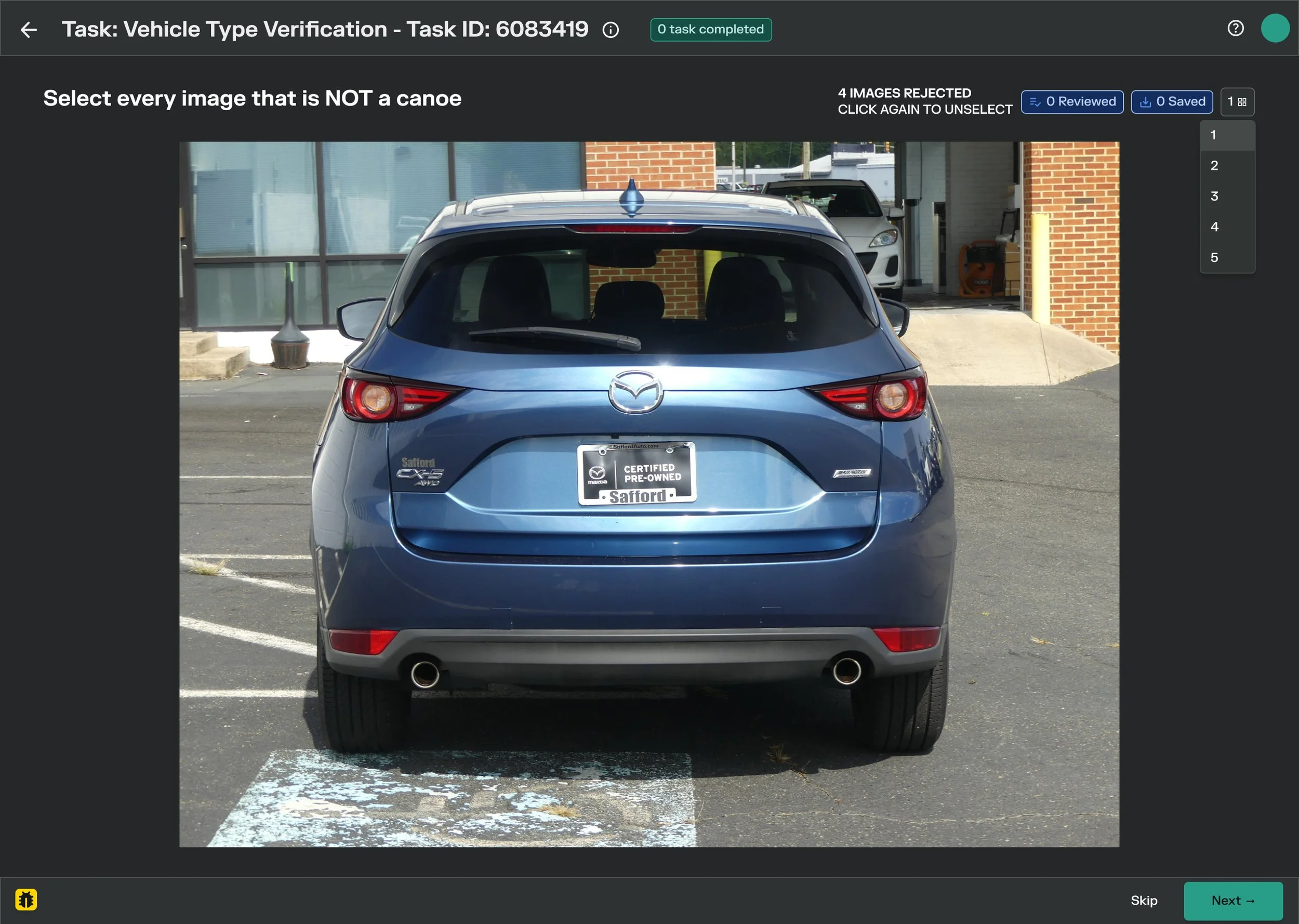
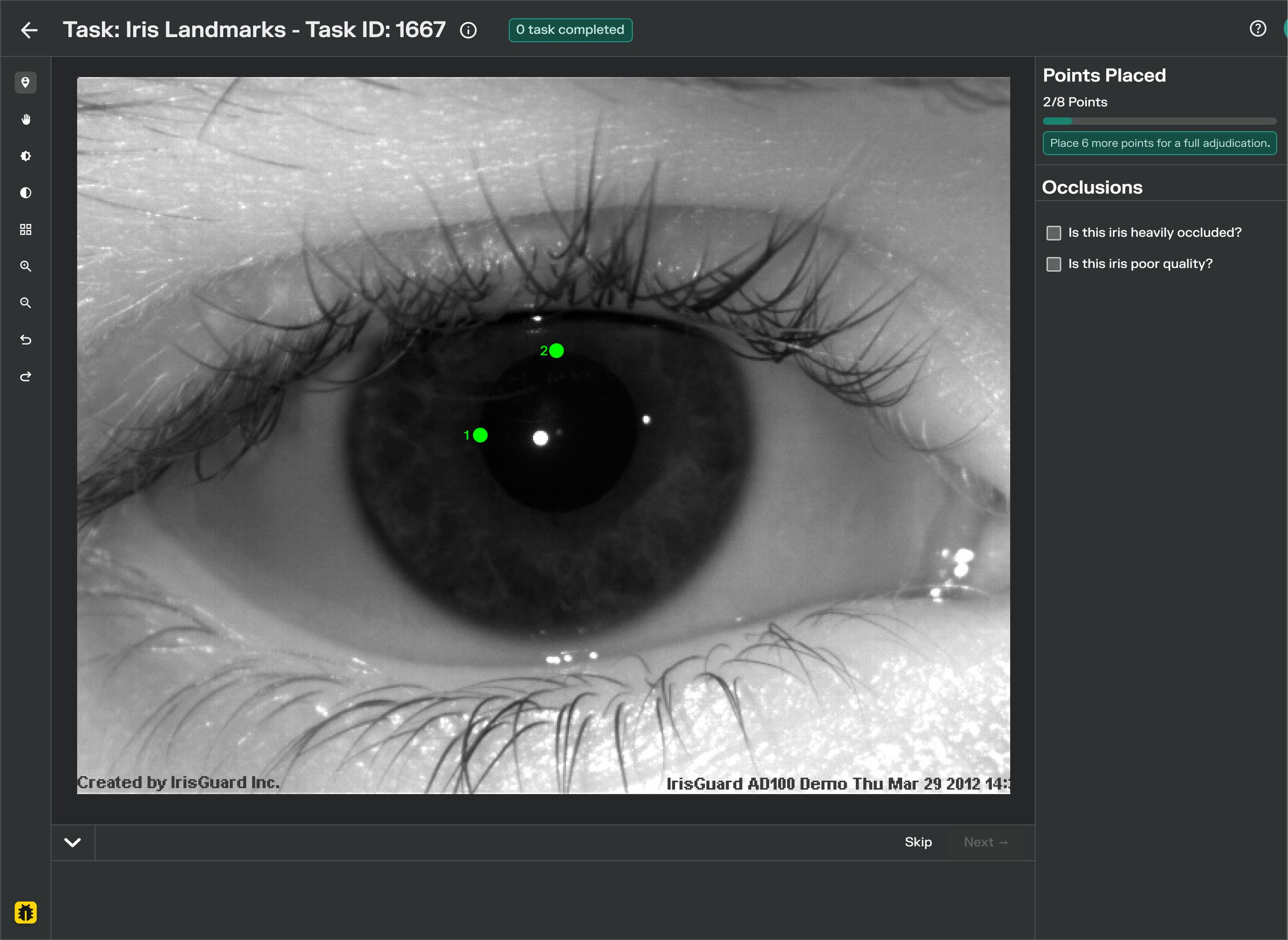
Building on the wireframe exploration and feedback received throughout the design process, I refined the concepts into high-fidelity Figma designs.
The final direction focused on simplifying workflows, clarifying navigation, and removing unnecessary interface components to create a more intuitive experience. I applied existing design system components, tokens, and reusable patterns to maintain consistency with the broader product while considering technical requirements and implementation feasibility.
I then prepared the designs for engineering handoff through Zeplin and collaborated with Engineering as the designs progressed toward implementation.
Outcome
Delivering a More Intuitive User Experience
Throughout this project, I contributed to the redesign of metadata web applications, focusing on simplifying workflows, clarifying navigation, and removing unnecessary interface components.
I collaborated with Research to better understand user needs and incorporated insights from user interviews and competitive research into my design explorations. Working with Engineering also helped me consider technical requirements and implementation feasibility as I refined the proposed solutions.
My key deliverables included user flows and workflow explorations, wireframes, high-fidelity Figma designs, and design handoff documentation in Zeplin. I applied existing design system components and reusable patterns to maintain consistency across the interface and support the transition from design to implementation.
This experience strengthened my ability to translate user needs and product requirements into thoughtful design solutions while collaborating across disciplines.
Reflection
Key Learnings and Next Steps
This project taught me that improving enterprise software requires balancing usability, information clarity, and technical feasibility. Rather than focusing solely on visual improvements, I learned to evaluate how interface decisions affect the user's ability to navigate workflows and complete tasks.
Collaborating with the Research team helped me recognize the importance of grounding design decisions in user needs, while working with the Engineering team reinforced the value of considering implementation constraints early in the design process. Using an established design system also helped me understand how reusable components can support consistency across a larger product.
If I were to continue this project, I would conduct usability testing with representative users to evaluate whether the redesigned workflows are easier to understand and navigate. I would observe users completing key tasks, identify remaining points of confusion, and compare task completion rates and time on task against a baseline where available. These findings would help validate the design decisions and identify opportunities for further iteration.